Ply Yard
About Minesweeper
This browser minefield game is a solo logic puzzle. Teach flags, numbers, and chording rather than guessing. Hints reveal one safe cell; they do not replace reading the board.
- Ruleset covered
- Ply Yard minefield puzzle with three sizes, chord, hints, and a UTC daily board
- Updated
- · Editorial policy and corrections
MinesweeperRules and variant distinctions
Open safe cells and flag mines
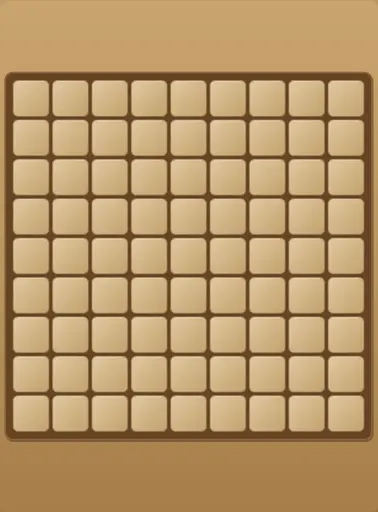
Left-click a hidden cell to reveal it. Right-click or long-press toggles a flag. Revealed numbers count adjacent mines; when the flags around a number match, double-click that number to chord and open the remaining neighbors. The first click never hits a mine. Beginner is 9×9 with 10 mines, Intermediate 16×16 with 40, Expert 30×16 with 99. New deals a random layout for the selected size.
Hints, daily board, and local records
Hint opens one safe cell using the same engine rules. Daily uses the intermediate grid with a UTC calendar seed so everyone gets the same mine layout that day. Best times per difficulty and a short list of recent runs stay in this browser; clearing site data resets them.
Practical strategy
On Beginner, flag every mine you are sure about before chording a 3-cell.
Note which neighbors still need information before double-clicking.
Play the daily board twice in one day.
Compare whether your second run is faster without guessing.
A common misconception
Hint always shows the best strategic cell.
Hint opens a safe cell; planning still depends on numbers and flags you track.
Position study: A 1-cell with one flagged neighbor
A revealed 1 touches exactly one hidden cell and that cell is flagged.
Is it safe to chord the 1?
Show the answer and analysis
Yes, if no other hidden neighbors remain unflagged.
Chord only opens hidden cells around the number when the flag count matches the digit.
This position was constructed for instruction. It is not a tournament record or an engine-verified proof of an optimal move. Evaluate it under the stated conditions; do not assume unlisted features of the complete position.
Structured practice
Understand the rules
Clear Beginner without hints and record time.
Assessment: Name one deduction that avoided a guess.
Compare candidate moves
Finish the daily board once, then replay the same day.
Assessment: Compare whether you remembered mine zones.
Frequently asked questions
How do I flag on mobile?
Long-press a hidden cell, or use right-click on desktop.
What does chord do?
On a revealed number, double-click opens hidden neighbors when enough flags surround it.
Does the first click always open a blank area?
It is always safe; zeros may flood to open a region.
Is progress synced?
No. Best times and recent runs stay on this device.
Does daily change my intermediate best?
No. Daily keeps its own best-time slot.
Do I need an app?
No. Open the mines host in your browser.
Put your understanding into practice.
Choose one skill to work on in your next game. A clear reason for each move is more useful than an immediate win.
Play MinesweeperRules sources and editorial notes
- Current rules for this game on Ply Yard
Identifies the board variant and interface described here. Platform instructions are not a complete statement of every tournament ruleset.
This guide combines the relevant board's rules with independently constructed examples and exercises. It distinguishes basic rules, variant-specific provisions, and strategic advice. Rules sections draw on the sources listed above. Instructional positions have not been presented as exhaustively engine-verified or certified by professional players.
Written by Ply Yard. Independent review by a named professional player has not been completed. To report an issue, send the game, ruleset, position, and relevant source provision to contact@plyyard.com.